outline is a line outside the border of a container. Let’s create a simple rectangle and apply an outline and see how cool 😎 it is.
The syntx for ourline is outline: size type color;

The above code will create a beautiful frame 🖼 .
The available values are
outline: auto → Permits the user agent to render a custom outline style.

outline: dotted → The outline is a series of dots instead of a solid line.

outline: double → The outline is two single lines. The outline-width is the sum of the two lines and the space between them.

We can also set the offset of the outline using outline-offset property.

outline: dashed → The outline is a series of short line segments.

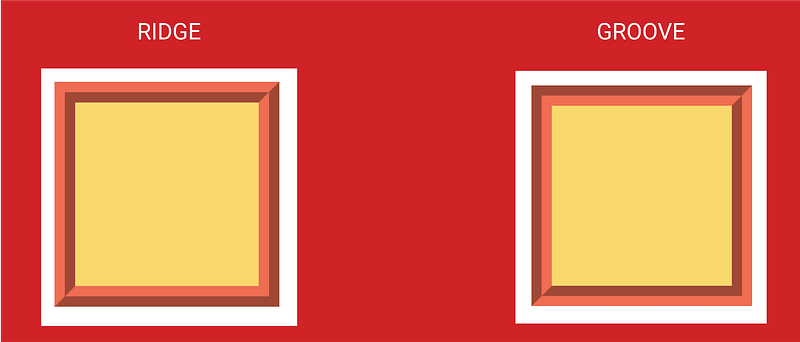
outline: groove →The outline looks as though it were carved into the page.

outline: ridge → The opposite of groove. The outline looks as though it were extruded from the page.

Difference between groove and ridge.
outline: inset → The outline makes the box look as though it were embedded in the page.

outline: outset → The opposite of inset. The outline makes the box look as though it were coming out of the page.

You can set the outline as none, so that it doesn’t have an outline.
If you find this helpful surprise 🎁 me here.
Share if you feel happy 😃 😆 🙂 .
Follow Javascript Jeep🚙 if you feel worthy.
 Js Jeep 🚙