Console cheat sheet for JavaScript developers

Learn how to use the browser console effectively for debugging

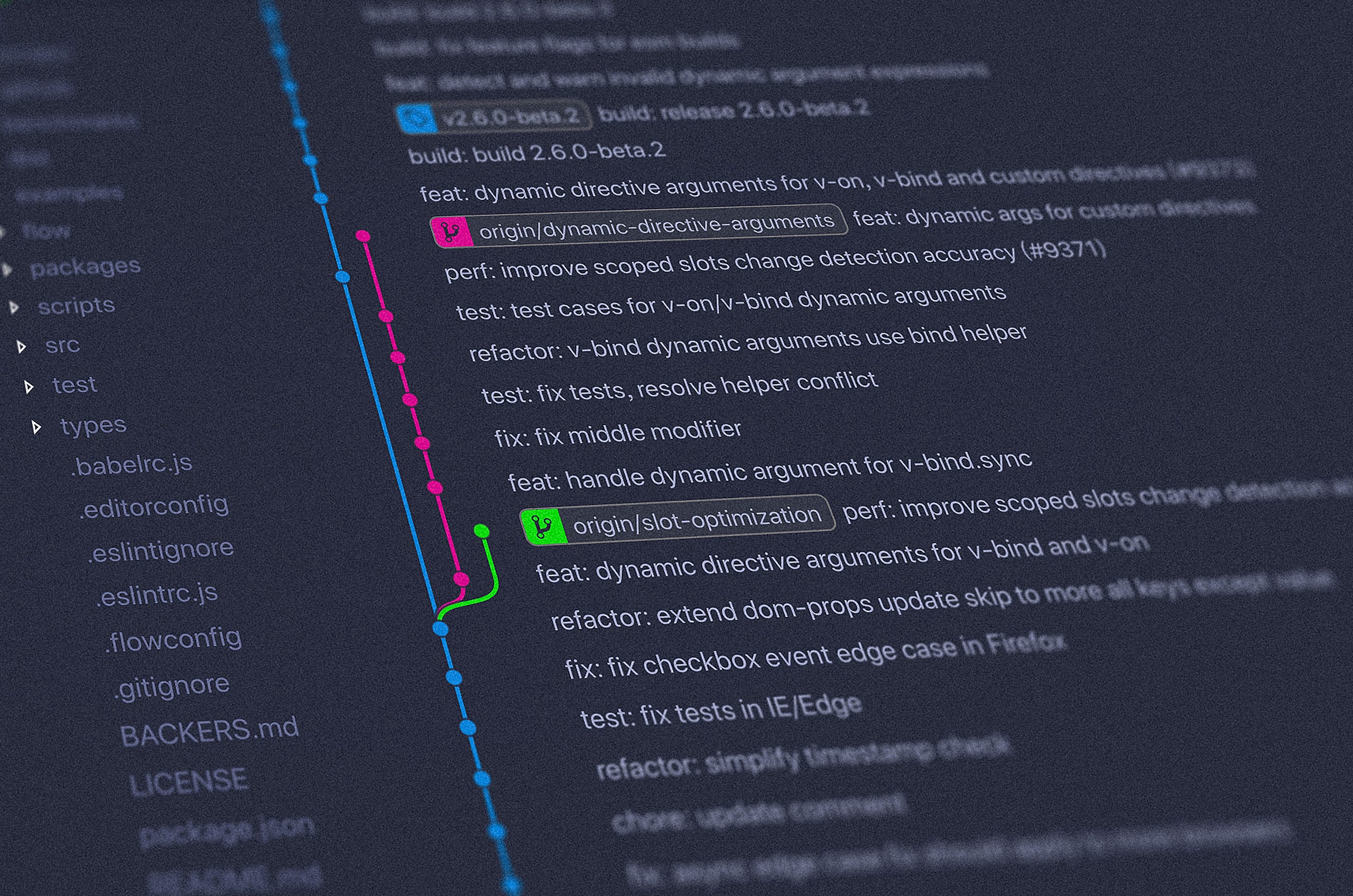
Image by Ilya Pavlov fromĀ Unsplash

You can open console by using:

Chrome → Ctrl Shift J (on Windows) or Cmd Option J (on Mac)
Safari → Option-Cmd-C

The console object provides access to the browser’s debugging console. The console object present in the global scope.

console.log(messages)

Outputs a message(variable) to the web console.

console.log("hello");
hello
var a =10;
console.log(a);
10
var b = 20;
console.log(a, b);
10, 20
// we can also evaluate expression 
console.log(a+b);
30
console.log(`${a} + ${b} = ${a+b}`);
10 + 20 = 30
var obj = {name : "Javascript Jeep"};
console.log(a, b, obj)
10 20 {name: "Javascript Jeep"}

console.clear()

This will remove all the console message and prints Console was cleared.

console.clear();

console.assert(condition, failureĀ message)

The console.assert method is an easy way to run simple assertion tests.

var a = 10; 
console.assert(a === 10, "This will not be printed");
console.assert(a != 10, "this will be printed", `a = ${a}`);
// Assertion failed: this will be printed a = 10

console.count()

Logs the number of times that this particular call to count() has been called.

function test() {
console.count();
}
test(); // default : 1 
test(); // default : 2
test(); // default : 3
Example 2 :
We can also use label to it
function test(label) {
console.count(label);
}
test("Times"); // Times: 1
test("Num"); // Num: 1
test("Times"); // Times: 2
test("Num"); // Num: 2
test("Times"); // Times: 3
test("Num"); // Num: 3

console.countReset()

Resets the counter. This function takes an optional argument label.

console.count(); default: 1
console.count(); default: 2
console.count(); default: 3
console.countReset()
console.count(); default: 1
console.count("time"); time: 1
console.count("time"); time: 2
console.count("time"); time: 3
console.countReset()
console.count("time"); time: 1

Siblings of console.log

console.info()

Prints a message to the console.

console.info("this is a info");

Only in Firefox, a small ā€œiā€ icon is displayed next to these items in the console’s log.


Other than this, it is similar to console.log method.

console.warn()

Outputs a warning message to the console.

console.warn("this is a warning āš ļø ");
Example
let temp = 90;
if(temp > 90) {

console.warn("Temp is high");
}

The warning message will be printed with a yellow background.


console.error()

Outputs an error message to the console.

console.error("this is error message");


console.trace()

Output the stack trace to the current function to the console.

function a() {
b();
}
function b() {
c()
}
function c() {
console.trace()
}
function test() {
a();
}
test()


console.dir()

prints out objects in a nice formatted way

var obj = {
"phone" : {
    mobile : {
num1 : 123,
num2 : 456,
},
landline : {
num1 : 789
}
},
"name" : "Javascript Jeep"
}
console.dir(obj);


console.dirxml()

It prints out a DOM element’s markup.

console.dirxml(document.body);
// this will display body of the html element

console.time(label) and console.timeEnd(label)

We can start a timer with console.time and then end it with console.endTime. By using this we can find the time taken to execute a function.

function a () {
  for(let i = 0 ;i < 10000; i ++) {
// operation;
}
}
console.time();
a();
console.timeEnd(); // default: 0.18896484375ms
console.time("test");
a();
console.timeEnd("test"); // test: 0.35302734375ms

Grouping consoleĀ messages

console.group("days")
console.log("Mon");
console.log("Tue");
console.log("Wed");
console.log("Thu");
console.log("Fri");
console.log("Sat");
console.log("Sun");
console.groupEnd("days")


We can group inside groups

console.group("days")
console.log("Mon");
console.log("Tue");
console.log("Wed");
console.log("Thu");
console.log("Fri");
console.group("holidays");
console.log("Sat");
console.log("Sun");
console.groupEnd("holidays");

console.groupEnd("days")


console.table(obj)

This prints the objects in table format

var user = {
    name : "Ram",
    age : 28

}
console.table(user);


var user2 = {
name : "Ram",
age : 28,
address : {
street : "144 straight stree"
}
}


Thanks 😊 šŸ™ for Reading šŸ“–.

Follow me JavaScript JeepšŸš™šŸ’ØĀ .

Please make a donation here. 80% of your donation is donated to someone needs food 🄘. Thanks in advance.

Mastering basic Git commands

Learn the basic git commands needed for your dailyĀ life.

Image from Unsplash(Yancy Min)
  1. Create a new local repository.
git init

2. Clone a remote branch into your machine.

git clone ā€œrepository urlā€

3. List all local branches.

git branch

4. List remote and local branches.

git branch -a

5. Switch to an existing branch.

git checkout Branch_Name

6. Create a local branch and switch to it.

git checkout -b Branch_name

7. Push branch to remote.

git push origin Branch_Name

8. Rename your local branch.

git branch -m New_Name

Renaming a branch you are not currently using.

git branch -m Old_Name New_Name

9. Delete the Old_name remote branch and push the New_name local branch.

git push origin :Old_Name New_Name

10. To Reset the upstream branch for the New_name local branch. This means all your changes which you are uploading need to be pointed to the branch with new name.

git push origin -u New_Name

11. Delete a local branch.

git branch -d Branch_Name

12. Delete a remote branch.

git push origin :Branch_Name

13. Delete all untracked files.

git clean -f

14. Delete all untracked files and directories.

git clean -df

15. Undo local modifications to all files.

git checkout -- .

16. Undo local modifications to a specific file.

git checkout File_Name

17. Display all local file changes in the working branch.

git diff

18. Display changes made to a file in the working branch.

git diff File_Name

19. Display who changed the file and when they changed the file.

git blame File_Name

20. Display commit history in a single line

git log --oneline

21. List all tags

git tag

22. Creating a new tag

git tag -a Tag_Name -m 'Message'

23. Push all tags to remote

git push --tags

24. Reset all your changes in a local branch

git reset --hard

25. Pull changes from the remote specific branch and merge them to the local checked-out branch.

git pull origin Branch_Name

26. Pull changes from the locally stored branch and merge that to the local checked-out branch.

git pull origin/Branch_Name

Thanks 😊 šŸ™ for Reading šŸ“–.

Follow me JavaScript JeepšŸš™šŸ’ØĀ .

Please make a donation here. 80% of your donation is donated to someone needs food 🄘. Thanks in advance.

Short intro about string functions in JavaScript

Learn about available JavaScript string functions.

Image taken fromĀ unsplash

String Properties

1.length

var str = "Jagathish";
str.length; //9 --> returns the length of the string

Functions

  1. toUpperCase() –> returns the new string in uppercase format of source string
var str = "Jagathish";
var str2 = str.toUpperCase();
console.log(str);//Jagathish
console.log(str2);//JAGATHISH 

2.toLowerCase() –> returns the new string in lowercase format of source string

var str = "Jagathish";
var str2 = str.toLowerCase();
console.log(str);//Jagathish
console.log(str2);//jagathish

3.trim() –> returns a new string with removed white space from start and end of the string.

var str = "   Jagathish  ";
var trimmedStr = str.trim(); 
console.log(trimmedStr); //"Jagathish"
var str1 = "J  aga";
var trimmedStr1 = str1.trim();
console.log(trimmedStr1); //"J aga"
var str2 = "J   .";
var trimmedStr2 = str2.trim();
console.log(trimmedStr2); //"J ."

4.trimStart() –> returns a new string with removed white space from start of the string. trimLeft() is an alias of this method.

var str = "   Jagathish  ";
var trimmedStr = str.trimStart(); 
console.log(trimmedStr); //"Jagathish  "

5.trimEnd() –> returns a new string with removed white space at end of the string. trimRight() is an alias of this method.

var str = "   Jagathish  ";
var trimmedStr = str.trimEnd(); 
console.log(trimmedStr); //"   Jagathish"

5.charAt() –> returns the character at the given index.

var str = "Jagathish";
console.log( str.charAt() ); //the default index is 0 so "J"
str.charAt(1); //a
str.charAt(8); //h
str.charAt(100); //"" if max than str length returns empty string
str.charAt(-1); // for all negative values returns empty string
//no type conversion takes pace so the result is empty string
str.charAt("1"); //""

6.charCodeAt() –> returns the UTF-16 character code of the character at the given index. All rules of index in chatAt method is similar to charCodeAt.

// char code for a - 97, b =98 ,... z -122
// char code for A - 65 ... Z - 90
var str = "Jagathish";
str.charCodeAt(0); // 74
str.charCodeAt(1); // 97

7.concat(arguments) concate the arguments passed with the source string. It doesn’t change on source string.

var str = "JavaScript";
str.concat(' ', "Jeep", "."); // JavaScript Jeep.

Note: This method is not recommendedĀ , instead you can use normal concatenation using assignment operator.
Example

var str = "JavaScript".
var name = str + " " + "Jeep" +".";

8.includes(searchingString) returns whether searching String may be found in source string.

var str = "JavaScript Jeep";
str.includes("Jeep"); // true
str.includes("jeep"); // false --> case sensitive
// we can also specify the index to start search
var str = "Jeep";
str.includes("Jeep", 0); // true
str.includes("Jeep", 1); // false

9.endsWith(searchString) returns whether the source string ends with the searching string.

var str = "JavaScript Jeep";
str.endsWith("Jeep"); // true
str.endsWith("jeep"); // false
str.endsWith("Kepp"); // false
// we can also specify the endPosition(index+1) to which the test should run
var str = "Jeep";
str.endsWith("J");  //false
str.endsWith("J", 1) // true

10.startsWith(searchString) returns whether the source string starts with the searching string.

var str = "JavaScript Jeep";
str.startsWith("Java"); // true
str.startsWith("java"); // false
str.startsWith("Ava"); // false
// we can also specify the startPosition(index) to which the test should run
var str = "JAVASCRIPT"
str.startsWith("VA");  //false
str.startsWith("VA", 2) // true
str.startsWith("J", 1); // false --> because we are saying to start search from index 1 .

11.includes(searchString) determines whether search string found within source String

var str = "JavaScript Jeep";
str.includes("Java"); // true
str.includes("java"); // false
str.includes(""); // true
str.includes(); // false

we can also specify the index from which the search should start
str = "JavaScript";
str.include("Java", 0); //true
str.include("Java", 1); //false

12Ā . repeat(times) returns a new string containing the specified number of copies of the given string.Repeat value must be non-negative and less than infinity, otherwise range error will br thrown.

var str = "Jeep ";
var repeatedString = str.repeat(1); // "Jeep "
repeatedString = str.repeat(2); // "Jeep Jeep"
repeatedString = str.repeat(); // ""
repeatedString = str.repeat(0); // ""

13.indexOf(searchString) return the index of first occurrence of search string on the source stringĀ , if the search string not present in the source string then it returns -1.

var str = "Java Jeep JavaScript Jeep";
str.indexOf("Jeep"); // 5
str.indexOf('jeep'); // -1
// we can also specify the index from which the search should happen
str.indexOf("Java", 0); // 0
str.indexOf("Java", 1); // 10

14.lastIndexOf(searchString) return the index of last occurrence of search string on the source stringĀ , if the search string not present in the source string then it returns -1.

var str = "Java Jeep Java Jeep";
str.lastIndexOf("Jeep"); // 15
str.lastIndexOf('jeep'); // -1

15.match(regex) extract the result of matching a string against a regular expression.

// Extracting vowel character
var str = 'I love cooking.';
var regex = /[AEIOUaeiou]/gi;
var result = str.match(regex); //["I","o","e","o","o","i"]

16.search(regex) this method test whether the source string matches the regex provided. If the source string doesn’t match with the regex then return -1.

var str = "str";
var regex1 = /a-z/gi;
var regex2 = /[aeiou]/gi;
str.search(regex1); // 0 ('s' matches with the regex , where 's' is 
at 0th index)
str.search(regex2); // -1 (because there is no match) 

17.padStart(newStringLength) This method add the padding (space by default) to the source string at the beginning of the stringĀ ,so that the source string length is converted to the provided length.

var str = "Jeep";
str.padStart(5); // " Jeep"
str.padStart(10); // "      Jeep"
str.padStart(5, "*"); // "*Jeep"
str.padStart(10,"@"); // "@@@@@@Jeep"
// If the value is lower than the current string's length, the current string will be returned as is.
str.padStart(1); // "Jeep"
str.padStart(); // "Jeep"
str.padStart(-1); // "Jeep"

18.padEnd(newStringLength) This method add padding (space by default) to the source string at the end of the stringĀ , so that the source string length is converted to the provided length.

var str = "Jeep";
str.padEnd(5); // "Jeep "
str.padEnd(10); // "Jeep      "
str.padEnd(5, "*"); // "Jeep*"
str.padEnd(10,"@"); // "Jeep@@@@@@"
// If the value is lower than the current string's length, the current string will be returned as is.
str.padEnd(1); // "Jeep"
str.padEnd(); // "Jeep"
str.padEnd(-1); // "Jeep"

19.replace(regex, stringToReplace) this method replaces the string with stringToReplace which matches the pattern

var str = "I love dog. I love dog";
var regex =  /dog/g;
str.replace(regex, 'cat'); // I love cat. I love cat

20.splice(fromIndex, toIndex) extracts part of source string and returns it as a new stringĀ .

var str = "JavaScript Jeep";
str.slice(1); "avascript Jeep"
str.slice(10); " Jeep"
str.slice(11); "Jeep"
str.slice(11, 12); "J"
str.slice(11, 14); "Jee"
str.slice(0); "Javascript Jeep"
str.slice(); "Javascript Jeep"

21Ā . split(separator) this method split the string based on the separator.

var str = "Java Jeep";
str.split(""); // ['J', 'a', 'v', 'a' ," ", 'J', 'e','e', 'p']
str.split(" "); ["Java", "Jeep"]
str.split() // ["Java Jeep"]
------------------------------
// limiting number of split
var str = "this,is,a,test";
str.split(","); ["this", "is","a","test"]
str.split(",", 1); ["this"]
str.split(",", 2); ["this", "is"]
str.split(",",100); ["this", "is","a","test"]

22Ā . substring(startIndex, endIndex) returns the the string between the start and end indexes, or to the end of the string.

var str = "JavaScript Jeep";
str.substring(11); // "Jeep"
str.substring(11,12); // "J"
str.substring(); // "JavaScript Jeep"

How to Use Object.keys in JavaScript


Consider an object:

var user = {
name: "Jagathish",
age: 20
}

In the user object, the name and age are the keys of the object. Keys are also referred to as object ā€œpropertiesā€. We can access the property value by obj.propertyName or obj[propertyName].

The Object.keys() method returns an array of strings of a given object’s own property/key names. The following is what we get for our user object:

Object.keys(user); // ["name", "user"]

Let’s look at another example:

var user = {
name : "Jagathish",
age : 20,
getAge() {
return this.age;
}
}
Object.keys(user); //  ["name", "age", "getAge"]

The key names are returned for all properties, whether it’s a function or primitive variable type. The order of key names in the array will be the same as they were in the object.

Syntax

Object.keys(obj)

Parameter: obj

The only parameter the Object.keys() function takes is an object itself.

  • The object of which the enumerable’s own properties are to be returned.
  • If we pass an empty object, then it returns an empty array.
  • If we don’t pass any argument (which is equivalent to passing undefined) or if we pass null, then it throws an error.

Return value: Array of strings

An array of strings that represent all the enumerable properties of the given object.

var array = ['a', 'b', 'c'];
console.log(Object.keys(array)); // ['0', '1', '2']
var funObj = {
fun : function () {
...
}
}
console.log(Object.keys(funObj)) // ["fun"]

When we pass a non-object except undefined, it will be coerced to an object.

Object.keys(123) // []
Object.keys(123.34) // []
Object.keys("hi") // ["0" , "1"]

Follow me JavaScript JeepšŸš™šŸ’ØĀ .

Please make a donation here. 80% of your donation is donated to someone needs food 🄘. Thanks in advance.

List of most useful websites for everyone.

This is a list of useful websites which everyone should know.


  1. 10 minutes mail → provides free, anonymous, secure, temporary email accounts.
  2. 30 sec code → Curated collection of useful JavaScript snippets that you can understand in 30 seconds or less.
  3. fast.com → Find the speed of the internet
  4. Auto draw → AutoDraw is a new kind of drawing tool that pairs the magic of machine learning with drawings from talented artists to help everyone create anything visual, fast.
  5. Webpage Archive → It takes a ā€˜snapshot’ of a webpage that will always be online even if the original page disappears.
  6. Slides → Slides is a place for creating, presenting and sharing slide decks.
  7. Giphy → A huge repository of gif
  8. Codeacademy → Anyone can learn programming here.
  9. Unsplash → A huge collection of copyright free images.
  10. Google Fonts → Huge collection of Open source fontsĀ , which can be used anywhere
  11. NounProject → Best place to search for vector icons.
  12. Draw io → used to create flow chartĀ , diagramĀ , blocks, wireframes.
  13. Random → website to get random stuffs(numbersĀ , string, pictures)
  14. Show → createĀ , share, beautiful presentationĀ . Sync presentation in mobile.
  15. Reverse Photo → Google Reverse Image Search helps you quickly discover visually similar images from around the web
  16. Dictation IO → Dictation uses Google Speech Recognition to transcribe your spoken words into text. It stores the converted text in your browser locally and no data is uploaded anywhere. It recognise multiple languages.
  17. Screenshot Guru → Take beautiful, high-resolution screen captures of websites and tweets
  18. Ecosia → Ecoā€Šā€”ā€Šfriendly search engineĀ , which plants trees for your searches.
  19. Duck Duck Go → a clean alternative to google search that doesn’t track you on the Internet.
  20. Codepen → An online IDE for web projects.
  21. Carrd → Create simplyĀ , freeĀ , responsive single page website.
  22. Jotti → Jotti’s malware scan is a free service that lets you scan suspicious files with several anti-virus programs
  23. Mega → Mega is a cloud storage and file hosting serviceĀ , which gives 50gb free space for each account.
  24. Home styler → Design your dream home in 3D. Includes many library.
  25. Pdf Escape → Free PDF Editor & Form Filler
  26. Skype → Use skype in browser to make voice and video callsĀ .
  27. We Transfer → WeTransfer is the simplest way to send your files around the world. Share large files up to 2GB for free.
  28. WhatsApp web → use WhatsApp in browser.
  29. Egg timer → A simple countdown timer.
  30. Private notes → Create Self destructing notesĀ , which will be destroyed once read.
  31. Flip Animation → create flip animation like flipbook
  32. Carbon → Create and share beautiful images of your source code.
  33. Video Pexels → an online library of free HD videos you can use everywhere.
  34. Calligraphr → Transform your handwriting or calligraphy into a font!
  35. Online OCR → Use Optical Character Recognition software online. Service supports 46 languages including Chinese, Japanese and Korean.
  36. Kleki → online painting tool.
  37. Firefox Send → Firefox Send lets you share files with end-to-end encryption and a link that automatically expires. So you can keep what you share private and make sure your stuff doesn’t stay online forever.
  38. Adobe Color → Detailed color pickerĀ .
  39. Past Google History → See all your previous searchesĀ , only if you’re logged inĀ .
  40. Keycode →tell the key code of the key in the keyboard. Useful for programmers.
  41. Typing → Practice typing onlineĀ , and increase your typing skill.
  42. Tall Tweets → turns your Google Slides presentation into GIFs and Videos.
  43. Sumo Paint → online painting app.
  44. Thunkable → create mobile app by drag and droppingĀ .
  45. Snap Drop → File sharing like apple AirdropĀ . Where you can share file between the devices connected in same network.
  46. Hacker Rank → website to practice coding in interview problem
  47. Hacker Type → Generate hacking prank on key press
  48. Geek Prank → Geek prank is an online hacking prank site. It is really nice and fun.
  49. MIT open course → MIT Open Courseware makes historical courses straight from MIT professors available to anyone with a thirst for knowledge, free of charge.
  50. First guide → To learn about blogging.

This list will be updated once i find more interesting sites, Please share your knowledge in comments. Thanks šŸ™ 😊 .

Do follow me Javascript JeepšŸš™šŸ’ØĀ .

Please make a donation here. 80% of your donation is donated to someone needs food 🄘. Thanks in advance.

Five Ways to Reverse an Array in Javascript


We can reverse an array by both modifying the source array or without modifying the source array. We will look at different ways to do each.

Reversing an array by modifying the sourceĀ array

We can use the reverse method available to JavaScript arrays.

var numbers = [ '1ļøāƒ£' , '2ļøāƒ£', '3ļøāƒ£', '4ļøāƒ£', '5ļøāƒ£' ];

numbers.reverse();

console.log(numbers); // [5ļøāƒ£, 4ļøāƒ£, 3ļøāƒ£, 2ļøāƒ£, 1ļøāƒ£]

Reversing without modifying the originalĀ array

1.Using a normal for loop

var numbers = [ '1ļøāƒ£' , '2ļøāƒ£', '3ļøāƒ£', '4ļøāƒ£', '5ļøāƒ£' ];
var reversedNum = [];
for(let i =  numbers.length -1; i >= 0; i--) {
  reversedNum.push(numbers[i]);

}

2. Using the map method with the unshift array method. unshift pushes the value to the 0th position of the array.

var numbers = [ '1ļøāƒ£' , '2ļøāƒ£', '3ļøāƒ£', '4ļøāƒ£', '5ļøāƒ£' ];
var reversedNum = [];

numbers.map((val) => {
    reversedNum.unshift(val);
});

3. Using slice and reverse

var numbers = [ '1ļøāƒ£' , '2ļøāƒ£', '3ļøāƒ£', '4ļøāƒ£', '5ļøāƒ£' ];

var reversedNumbers = numbers.slice().reverse();

4. Using the spread operator and reverse

var numbers = [ '1ļøāƒ£' , '2ļøāƒ£', '3ļøāƒ£', '4ļøāƒ£', '5ļøāƒ£' ];

var reversedNumbers = [...numbers].reverse();

5. Using the spread operator and reduce

var numbers = [ '1ļøāƒ£' , '2ļøāƒ£', '3ļøāƒ£', '4ļøāƒ£', '5ļøāƒ£' ];

let reversedArray = [];
numbers.reduce( (reversedArray, value) => {
   return [value , ...reversedArray];
}, reversedArray);

There are manymore other ways to reverse an array in JS. Share your favorite or most interesting way to do it in the comments.

Do follow me Javascript JeepšŸš™šŸ’ØĀ .

Please make a donation here. 80% of your donation is donated to someone needs food 🄘. Thanks in advance.

Ternary operator in Javascript

Learn about how and when to use ternary operator in Javascript


Ternary operator in Javascript

Ternary operator is also denoted as conditional operator.

Ternary operator is the compact version of if statement.

If you’re going to check for simple condition, then ternary operator is highly recommended instead of if block.

Example of using normal if condition

function printName(name, inUpperCase) {

if(inUpperCase) {
      name = name.toUpperCase();
    } else {
      name = name.toLowerCase();
    }

console.log(name);

}

The above code can be simplified into

function printName(name, inUpper) {
    name=(inUpper===true) ? name.toUpperCase() : name.toLowerCase();

console.log(name);
  }

There are three parts in ternary operator


Condition part → Condition to check

true part → executed if the condition is true

false part → executed if the condition is evaluated to false

Do follow me Javascript JeepšŸš™šŸ’ØĀ .

Please make a donation here. 80% of your donation is donated to someone needs food 🄘. Thanks in advance.

Default Parameters in Javascript

Learn about how and when to use default parameters in Javascript.

default param

Default parameter in Javascript

The default parameter is a way to set default values for function parameters a value is no passed in (ie. it is undefined).

In a function, Ii a parameter is not provided, then its value becomes undefined. In this case, the default value that we specify is applied by the compiler.

Example:

function greet(name = "noob master") {
console.log("Welcome mr." + name);
}

greet("Jagathish"); // Welcome mr.Jagathish
greet(); Welcome mr.noob master
greet(""); Welcome mr.

If we don’t use a default parameter (not available pre-ES6), then we would need to check for the existence of the variable and set it ourselves.

function greet(name) {
  if(typeof name == undefined) {

name = "noob master";

}


// second way is

name = name || "noob master";

console.log("Welcome mr." + name);
}

Below is another example of using a default parameter. Notice that it only applies when the value is undefined.

function test(num = 1) {

console.log(num);

}

test(); 1
test(undefined); 1
test(null); null
test(""); ""
test(false); false
test(NaN); NaN

We can also use another function parameter when declaring a default value:

function test(num1 , num2 = num1 * 2) {
    console.log(num1 * num2);
}
test(2); 8
test(2,3); 6

In the above code, num1 is accessed in default value assignment to num2.

We can also use a function as a default value. Functions are first-class citizens in JavaScript and can be treated like any other variable.


function greet(name, greetMethod = defaultGreet) {
    greetMethod(name);

}

function defaultGreet(name) {
  console.log("default Good morning mr." + name );

}

function customGreet(name) {
  console.log("Custom Good morning mr" + name);

}
greet("Jagathish")  //default Good morning mr.Jagathish
greet("Jagathish", customGreet); //Custom Good morning mr.Jagathish

We can set a default value by evaluating a function and using the value returned.

function getDefaultNum() {

return 5;

}

function square(num = getDefaultNum() ) {

return num * num;

}

square(10); // 100

square(); //25

We can have default parameters in any order, and this means we can have non-default parameters after default parameters.


function test(a = 10, b, c =100 , d) {
  console.table(a, b, c, d);

}
test(undefined, 10); // 10,10,100,undefined
test(100); // 100, undefined, 100 , undefined
test(); // 10, undefined, 100, undefined

Do follow me Javascript JeepšŸš™šŸ’ØĀ .

Please make a donation here. 80% of your donation is donated to someone needs food 🄘. Thanks in advance.

var vs let & const in Javascript.


The Key Difference

var is function scoped.
let and const is block scoped.

Let’s see what this means.

Function Scope

Function scope means if we declare a variable with the var keyword then the variable is accessible for the lifetime of the function inside the entire function in which it is declared.

Example:

function test() {
console.log(jeep);
var jeep = 'šŸš™';
console.log('jeep'); // 'šŸš™'
}

When executing the above function what happens is the compiler will convert the above code as,

function test() {
var jeep;
console.log(jeep);
jeep = 'šŸš™';
console.log('jeep'); // 'šŸš™'
}

The compiler will simply remove all the declaration of the var and add new declaration of a variable on the first line of the functionĀ , so that the variable is available inside the entire function in which it is declared. It is called hoisting.

Let’s have an another exampleĀ :

Example

function test() {
console.log(jeep, i);
var jeep = 'šŸš™';
for(var i = 0; i < 3; i++) {
console.log(jepp);
}
}

The above code will be transformed into

function test() {
var jeep, i;
console.log(jeep, i);
jeep = 'šŸš™';
for(i = 0; i < 3; i++) {
console.log(jeep);
}
console.log(i); //3
}

The var i declared in for loop is in function scope which can also be accessible outside the for loop, meaning inside the entire function test.

Let’s have an another example

function test() {
var i =10;
console.log( i);
for(var i = 0; i < 3; i++) {
console.log(i);
}
console.log(i); //3
}

The above code will be converted as

function test() {
var i;
i =10;
console.log( i); // 10
for(i = 0; i < 3; i++) {
console.log(i); // 0,1,2
}
console.log(i); //3
}

There is no consideration by the compiler of how many time you declare a variable with same name using var keywordĀ .It will replace all the declarations into single declaration on the first line of the function.

As said earlier var is function scopeĀ , so there may some scope confusion happen for programmers when we use var with same variable name especially during debugging, To overcome this let and const is introduce in ECMA 2015


Block Scope

let is block scope means the variable which are declared with let keyword are accessible only inside the block in which it is declared.

When we try to access a variable before it is declared using letĀ , then it will throw error.

function test() {
console.log(jeep); // Error
let jeep = 'šŸš™';
console.log(jeep);
}

So we cannot access the variable before it is declaredĀ .

function test() {
let i = 10;
for(let i = 0; i < 100; i = i + 10 ) {
console.log(i); // 0, 10 , ... 90
}
console.log(i); // 10
}

In the above function there will be two scope, 1 → function scope and 2 →block scopeĀ . The i inside the for will we be stored and modified in block scope areaĀ , which doesn’t change the value of i at the function scopeĀ . So after the end of for loop the i inside the for loop will be erasedĀ , now the i at last line of the code points to the function scopeĀ .


constā€Šā€”ā€ŠConstant variable (block scope)

const is also similar to letĀ , but the difference is we cannot change the value assigned to the const variable.

We cannot create a const variable without assignment

ExampleĀ : const a; // this will throw error Missing initializer

We cannot change the value assigned to the const variableĀ , if we try to do that then it will throw error.

const a = 10;
a =100; // Uncaught TypeError: Assignment to constant variable.

Do follow me Javascript JeepšŸš™šŸ’ØĀ .

Please make a donation here. 80% of your donation is donated to someone needs food 🄘. Thanks in advance.

Secrets of Logical ļø Operators in Javascript šŸ¤·ā€

Learn how logical operators in Javascript is different from other programming languages (&& ||Ā !)


Logical operations allow us to make decisions (either true or false ), based on conditions. In most programming languages, the logical operation returns either true or false. In Javascript, logical operations return the value of one of the operands used in the operation.

There are three logical operators:

  • ! (NOT)
  • && (AND)
  • || (OR)

The above operations are listed based on operator precedence. i.e,Ā ! is higher precedence and || is lower precedence.

Logical operations are evaluated from left to right. The operator precedence isĀ ! > && >||.

&& → AND

The && operation returns the first falsy value or the last value if no falsy value is found.

Consider:

condition1 && condition2 &&Ā ... && condN

  • Evaluates conditions from left to right.
  • For each operand, converts its value to a boolean. If the result is false, it stops the evaluation of the expression and returns the original value of that operand.
  • If all operands have been evaluated (i.e. all conditions are truthy), then it returns the last operand value.

Example 1Ā :

var a = true;
var b  = true;
var c = false;
var d = false;
a && b  → true      b && a  → true
a && c  → fase      c && a → false
c && d  → fase      d && c → false

Example 2:

In && operations, if any one of the conditions fails, then the statement evaluation is stopped and the falsy operand value is returned.

var a = 25;
var b = 20;
var c = 30;
var isALarge =  (a > b)  && (a > c);
// to simply above statement 25 > 20 && 25> 30 --> true && false 
log(isALarge); // false;

Example 3:

The logical operation can be applied to values of any type, not only to boolean. If we use non-boolean value then the value is returned.

var a = 10; 
var b = 20;
var c = (++a == 20) && (++b > 20 );
log(a, b, c); 11 , 20 , false
/*
* In the above statement (++a == 20 ) is evaluated to false
* So there is no need to check for the next condition
* anyhow the result will be false
* because if any one of condition fails in && , it returns false
* so the (++b > 20) part is not executed
* This is technically called Short-circuit evaluation
*/

Example 4:

In Javascript, if we use non-Boolean values in the && and || operations, then the return value will be one of the specified operand values.

var a = 1;
var b = 2;
var c = 0;
var d = a && b;
log(d); // 2 returns last value
var e = c && a;
log(e); // 0 returns first falsy value
var f = a && b && c;
log(f); // 0 last value

In the above case && will check if a is evaluated to true. If a is evaluated to false, then the value of a is returned. If a is true then it proceeds to the next operand(b). Here b is the last operand, so no matter the value (either true or false evaluation of b), there are no more operands to check, so the value of b is returned since it’s the last value.

Example 4Ā :

var a = 0;
var b = 1;
var c = a && b;
log(c); // 0--> because 0 is false value , so it is returned

Example 5Ā : Useful cases

function getNameInUpperCase(userData) {
    return userData && userData.name && userData.name.toUpperCase();
    // if we use userData.name.toUpperCase() 
// it will throw error if userData is undefined
// So we normally use multiple condition
// instead of that we can use the above statement.
}
getNameInUpperCase(); //undefined;
getNameInUpperCase({}); //undefined;
getNameInUpperCase({name : "Noob master"}); // NOOB MASTER

The above function will return the value of name as lower case.

|| → OR

The OR (||) operation returns the first truthy value or the last value if no truthy value is found.

Consider:

condition1 || condition2 ||Ā ... || condN

If any one of the conditions is true then it returns true. It returns false only if all the condition evaluates false.

  • Evaluates conditions from left to right.
  • For each operand, it converts the value to a boolean. If the result is true, the evaluation of the expression stops and returns the original value of that operand.
  • If all operands are evaluated (i.e. all conditions were falsy), then it returns the last operand value.

Example 1:

var a = true;
var b  = true;
var c = false;
var d= false;
/* Logical Or operation
* Or operation returns true if any one of condition is true
*/
a || b  → true      b && a  → true
a || c  → true     c || a   → true
c || d  → false    d || c  → false

Example 2:

var a = 2 ;
var b = 0;

var c = a || b;
log(c); 2 // first truthy value
c = b || a; 
log(c); // 2 last value

Some useful places to use || operation other than using for logical operation.

function getName(userData) {
    return userData.name || "Noob Master " ;
    // instead  of writing userData.name ? userData.name : "blah" 
// we can use above statement.
}

! → Not operation

The not operation returns the inverse boolean value of the variable.

It is a unary operation, so it operates on single operand.

If we apply not (!) to truthy value then it returns false and vice versa.

var a = 1;
!a; 0
!!a; 1
a =10 ;
!!a; 1 // because !10 --> 0 --> !0 --> 1
!undefined // true
!null // true
!'' // true
!'hi' // false

! has higher precedence than && and ||.

var a = 10;
var b = !a && a;
log(b); // false . because !a is evaluated first 
// !10 && 10 -> false && false --> false.

NotesĀ :

1. The logical expressions are evaluated from left to right.

2. The precedence of AND && operator is higher than OR ||.

var a = true , b = false , c = false;
var d =  a && b || a && c; 

// the above expression will be evaluated like
(a && b) || (a && c) ; // false

3. Precedence of logical operator isĀ ! > && > ||.

4. Operands in logical operation can also be expressions.

var a = 0;
var b = false || (a = 10);
// in above statement first 10 is assigned to a then a is assigned    // to b. Use open-close for expression.
log(a); //  10
log(b); // 10 

5. Short-circuit evaluation is performed during && and || operation

var a = 0;
var b = false || ++a;
log(b); 1 
var c = ++b && false;
log(b); 2

6. We can replace logical operations using short circuit

var a = 10; 
if(a > 5) {
   alert("a is greater than  5");
} 
// the above code can be replaces as 
 a > 5 && alert("a is greater than  5");

7. In && operations, either the first falsy value is returned or last operand value is returned.

8. 7. In || operations, either the first truthy value is returned or last operand value is returned.

Conclusion

In most programming languages the logical operators (&& and ||) will return either (true or false ) or (0 or 1), but in Javascript, the actual values are returned. It only checks the truthiness or falsiness of the values.

I referred to MDN and javascript.info for writing this tutorial. Thanks šŸ™ for them.

Do follow me Javascript JeepšŸš™šŸ’ØĀ .

Please make a donation here. 80% of your donation is donated to someone needs food 🄘. Thanks in advance.


https://gitconnected.com/learn/javascript

Design a site like this with WordPress.com
Get started